
How I Mastered the Wrench in Lego Fortnite's Mechanical Mayhem
Lego Fortnite Wrench: master vehicle building with channel-linked thrusters for precise steering, reversing, and stable aircraft.
I still remember the first time I strapped a thruster to a Dynamic Foundation in Lego Fortnite. I was convinced I had built a masterpiece. Then I flipped a switch, and my beautiful wooden nightmare shot backward into a tree, spun in a circle, and dumped me into a river. That was before I understood the Wrench. Even in 2026, with all the updates and new toys the game has added, the Wrench remains one of the most important tools for anyone who wants to build vehicles that actually go where they are supposed to go. If you have ever watched your custom car or aircraft ignore your steering and do its own chaotic thing, this guide is for you.
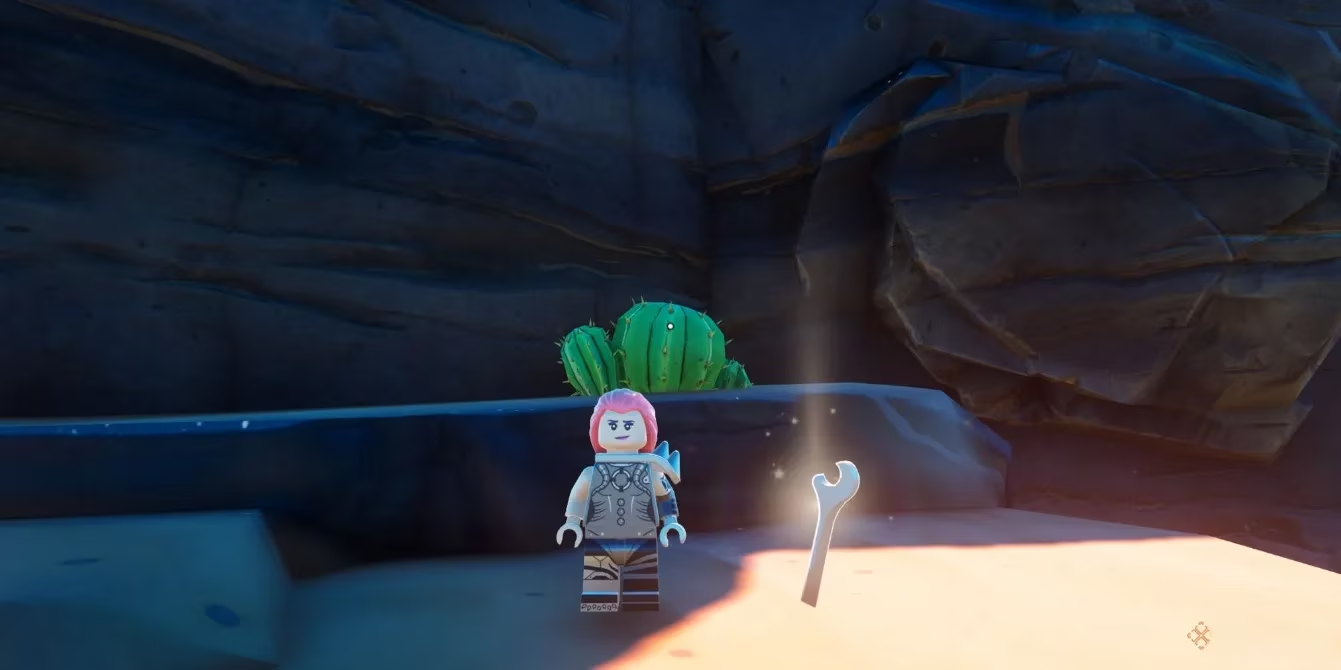
The Mechanical Mayhem patch introduced vehicles to Lego Fortnite, and it also gave us the Wrench. On the surface, it looks like a simple crafting tool. In practice, it is the difference between a controllable machine and a pile of thrusters with anger issues. The Wrench lets you assign channels to switches and thrusters, so you can decide which thrusters fire when you flip a specific switch. That might sound small. It is not. It is the entire foundation of steering, reversing, and making aircraft that do not immediately flip upside down.
Unlocking the Wrench Was Easier Than I Expected
When I first went looking for the Wrench recipe, I could not find it. I stood at my crafting bench, opened the menu, and saw nothing. I thought I needed rare materials from a dangerous cave. I was wrong. The Wrench is locked behind a simple discovery step: you need to craft a Wooden Rod first.
To do that, I used the Lumber Mill utility station to turn a single piece of wood into a Wooden Rod. The moment I placed that Wooden Rod into my inventory, the Wrench recipe unlocked instantly. That little moment felt like a secret handshake. The game was telling me, okay, now you are ready to build vehicles properly.
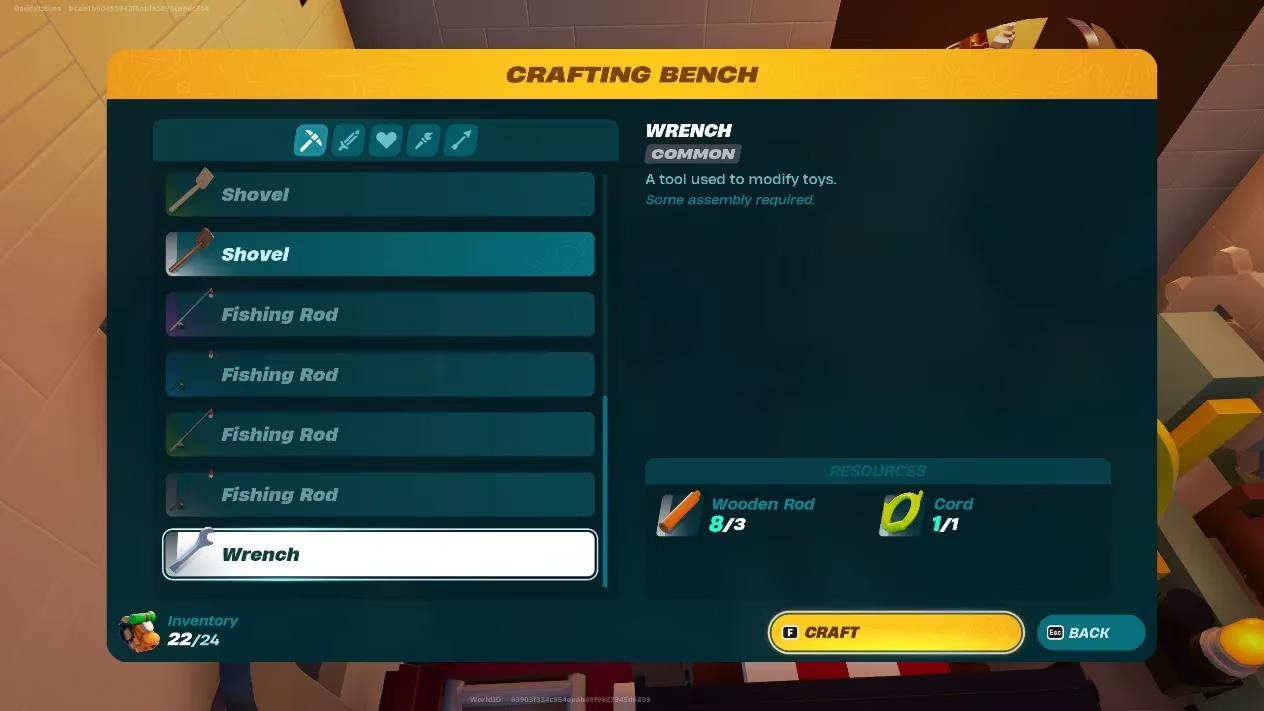
Once the recipe was available, I headed to my crafting bench with the required materials:
| Material | Quantity | What I Did |
|---|---|---|
| Wooden Rod | 3 | Crafted them at the Lumber Mill from wood |
| Cord | 1 | Grabbed one from my storage |
Three Wooden Rods and one Cord. That is it. No boss drop. No impossible grind. Just basic materials and a little bit of preparation. I crafted my first Wrench, held it in my hand, and immediately went back to the vehicle that had betrayed me.
What the Wrench Actually Does
The main purpose of the Wrench in Lego Fortnite is to interact with Switches and Thrusters on your custom vehicles and aircraft. Custom creations are built on Dynamic Foundations, which are large pieces of wood that move when you attach thrusters or balloons to them. That is the magic of vehicle building. You place a foundation, attach thrusters, add a switch, and suddenly you have a machine.
The problem is that without a Wrench, every thruster activates at the same time whenever you flip a switch. That means your vehicle has exactly one movement mode: chaos. It might lurch forward. It might launch upward. It might spin. It might do all three at once. I learned this the hard way when my first car did a perfect backflip into a lake. Without channels, you cannot tell one thruster to push forward and another to push backward. You cannot steer. You cannot fine-tune. You just hang on and hope.
The Wrench changes that by letting you create up to three different channels between your thrusters and switches. Instead of every switch controlling every thruster, you can assign specific thrusters to specific switches. One switch can activate the thrusters that push forward. Another can activate the thrusters that turn left. Another can activate the ones that lift you into the air. Suddenly, your vehicle becomes a vehicle.
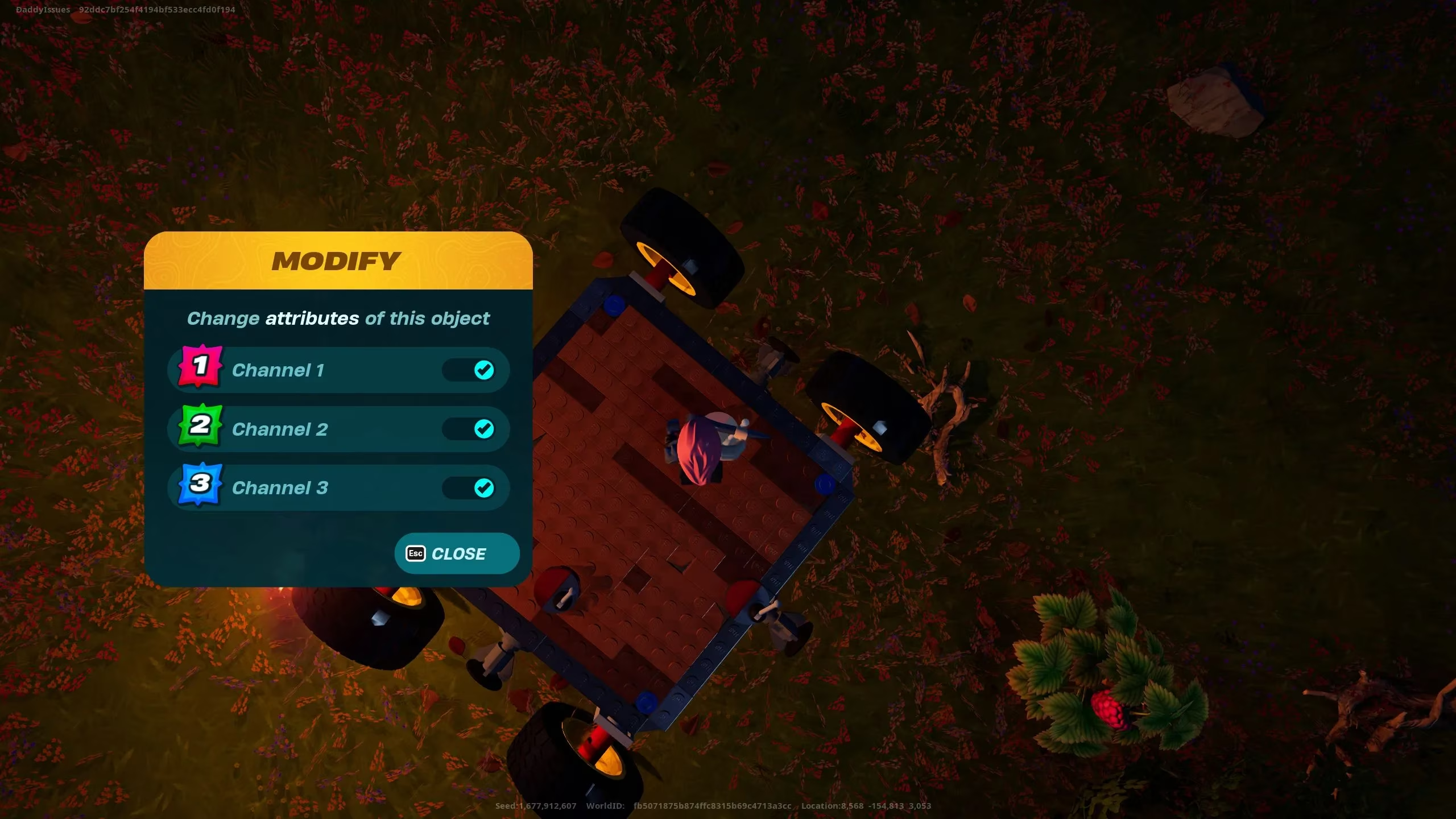
To create these channels, I held the Wrench in my hand and clicked on either a Thruster or a Switch. That opened the channels menu. From there, I could designate a number for each piece of equipment. I started simple. I put all my forward thrusters on channel one. I put my left-turn thrusters on channel two. I put my right-turn thrusters on channel three. Then I assigned switches to those same channels. When I flipped switch one, only the forward thrusters fired. When I flipped switch two, the vehicle turned left. For the first time, I was driving instead of surviving.
How I Stopped Crashing and Started Steering
My first successful vehicle was not pretty. It was a wooden platform with four thrusters, two switches, and a dream. But it worked. I could drive it around my village without hitting every tree. I could reverse. I could make gentle turns. I could even park it, which sounds silly until you have spent twenty minutes chasing a runaway car across the map.
Here is the setup I recommend for new builders:
-
Start with one Dynamic Foundation and two or three thrusters.
-
Add a switch for forward movement.
-
Add a second switch for turning or reversing.
-
Hold the Wrench and click each thruster to assign it to a channel.
-
Click each switch and assign it to the matching channel.
-
Test in an open area before you add balloons, extra thrusters, or passengers.
I also learned to label things in my head. Channel one is go. Channel two is turn. Channel three is boost or lift. That mental map kept me from panicking when I was mid-air or mid-crash.
The Mistakes I Made So You Do Not Have To
I made plenty of mistakes. I put every thruster on the same channel and wondered why my vehicle only moved in one direction. I forgot to assign a switch to a channel and spent ten minutes flipping it with no result. I built a giant aircraft before testing a tiny car. Do not do that. Start small. Test each channel. Then expand.
Another mistake was ignoring the Wrench after crafting it. The Wrench is not a one-time tool. You will use it every time you add a new thruster or switch. Keep it in your inventory when you are working on vehicles. It is as important as the materials you use to build them.
Final Thoughts From a Recovering Vehicle Disaster
In 2026, Lego Fortnite still rewards players who take the time to understand its building systems. The Wrench may not be the flashiest item in the game, but it is one of the most useful. It turns a pile of thrusters into a controllable machine. It turns switches into steering wheels. It turns chaos into fun.
If you are new to vehicle building, do not skip the Wrench. Craft the Wooden Rod, unlock the recipe, gather three Wooden Rods and one Cord, and start experimenting with channels. Your first car might still be ugly. It might still hit a tree. But with the Wrench in hand, at least you will be the one choosing the direction. And honestly, that is the whole point. 🚗💨
The following breakdown is based on GameFAQs, a long-running player resource known for practical walkthroughs and mechanical problem-solving. For Lego Fortnite vehicle builders, that kind of reference mindset is especially useful when learning how the Wrench assigns thrusters and switches into separate channels, since small setup errors can completely change how a Dynamic Foundation responds in motion.